I once spent a whole afternoon chasing a ranking drop on a client's blog, convinced I'd broken something technical. No broken links. No crawl errors. No penalty. The problem was simpler and dumber: their three best sales pages had zero internal links pointing to them. Google had no reason to think they mattered, so it treated them like leftovers.
That's the thing about internal linking best practices for SEO. They're invisible until they're wrong, and when they're wrong, nobody blames the links. People blame the algorithm, the niche, the "recent update." Nine times out of ten, the structure is just quietly starving the pages you care about.
Key Takeaways
- Internal links do two jobs at once: they help search engines discover and rank your pages, and they tell visitors what to do next.
- The pages you want to rank should sit as few clicks as possible from your homepage.
- Descriptive anchor text beats generic "click here" every single time.
- A handful of genuinely relevant links per page beats a pile of forced ones.
- Fix orphan pages before you chase new backlinks. It's cheaper and faster.
- Audit your link structure with a crawl, not with guesswork.
Why internal links actually matter for SEO
An internal link is any hyperlink that points to another page on the same domain. That's the whole definition. Simple. But the mechanics behind it are what trip people up.
Two things happen every time you add one. First, a crawler following that link discovers the destination page and adds it to the queue. Second, and this is the part most people undersell, you're passing a signal about relevance. The anchor text, the surrounding paragraph, the page it sits on—all of it tells search engines what the destination is about and how important it seems.
Why are internal links important for SEO?
Because without them, search engines have to guess. A page with no inbound internal links (an orphan page) is basically invisible to the crawler unless something external points at it. Internal links are how you hand out directions inside your own house.
There's a business angle too. Visitors land on one article, then wander. If the path between your pages is clear, they stay longer and read more. If it isn't, they bounce back to Google and go read someone else. I've watched session depth climb noticeably on a site just by adding three contextual links per article—no redesign, no new content.
How internal linking differs from external linking in SEO
External links point out to other domains. Internal links stay home. The distinction matters because internal links are entirely under your control—you decide the anchor, the destination, and the placement. External links are largely about trust and citation. You can't pass authority you don't own, so internal links are your most reliable lever.
The rules that actually move rankings
There's a lot of folklore here, so let me stick to what I've seen work.

Anchor text that earns its keep
Your anchor text should describe the destination. "Read our pricing guide" tells the crawler and the reader what's coming. "Click here" tells nobody anything.
Variety matters as much as descriptiveness. If every link to a page uses the exact same phrase, it starts to look mechanical. Mix in natural variations, partial matches, and the occasional branded phrase. I used to hammer one keyword into every anchor on a site, and honestly, it didn't help—it just made the copy read like it was written by a robot.
Link depth and the three-click reality
Pages close to your homepage tend to rank better. This isn't magic; it's proximity to the pages search engines trust most. In practice, aim to keep your money pages within a few clicks of the homepage and shallow in the hierarchy.
I once inherited a site where a key service page sat six levels deep, buried under category, subcategory, and three tag pages. Number of internal links pointing to it? Two. We rebuilt the path to three clicks and it started ranking within weeks. Nothing else changed.
A quick comparison: what works vs what doesn't
| Practice | Weak version | Strong version |
|---|---|---|
| Anchor text | "Click here" | Descriptive, varied phrase |
| Link count | Dozens of forced links | A few relevant ones |
| Placement | Footer dump | In the body, contextually |
| Destination | Random old posts | Pages you want to rank |
How many links is too many?
There's no hard limit, and anyone quoting an exact number is guessing. What I've found: relevance beats volume. Ten tightly related links do more than fifty scattered ones. That said, if a single page carries hundreds of links, most of them are probably noise—navigation, tags, archives—and they dilute the signal.

My working habit: two to five contextual links per thousand words of body copy. Enough to build a path, not so many it looks like a link farm.
The part everyone skips: measuring your link structure
You can't fix what you haven't diagnosed. Before adding a single link, run a crawl of your site and look for three things.
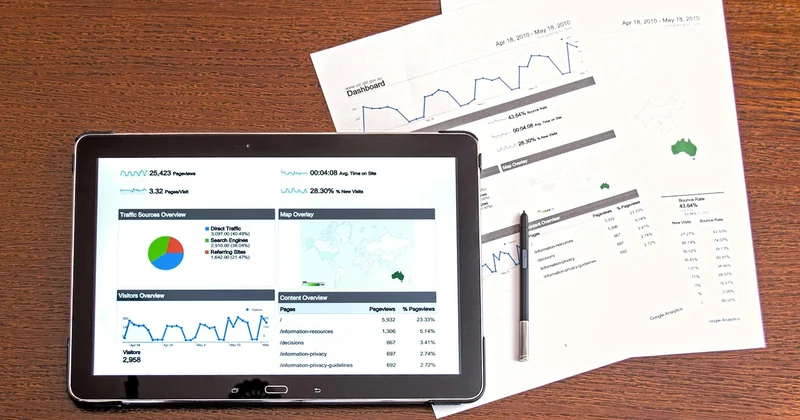
- Orphan pages—content with no internal links pointing in. Usually a content mistake, not a technical one.
- Click depth—how many hops from the homepage. Deep pages need shortcuts.
- Broken internal links—links pointing at pages that moved or vanished.
An internal linking checker (the free crawlers do this fine) will surface all three in one pass. I used to skip this step and just start adding links by feel. It took me embarrassingly long to realize I was fixing symptoms while the actual problem—orphans and depth—sat untouched.
A template for contextual link building
When I add links to an article, I follow a loose order. Identify the target—usually a page I want to rank or a key conversion page. Find the natural phrase in my draft where that topic comes up. Wrap the phrase in a descriptive anchor. Then check the path: does this link also shorten the distance between the homepage and something important?
Do that across your top twenty articles and you'll feel the difference in your crawl reports within a month.
Do internal links matter for AI search?
Increasingly, yes—though the mechanism is less documented than classic crawling. AI answer engines pull context from pages they can parse and trust. A well-linked site is a well-understood site. When your pages reference each other clearly, the relationships between topics become legible, and that clarity is exactly what a system needs to decide which page to cite.
I've noticed pages with strong internal context get quoted more often in AI-style answers, though I'd be careful claiming a clean causal line. The safe conclusion: structure helps everywhere, including places you can't directly measure yet.
Should you prioritize internal or external links?
Internal, for most people, most of the time. External links are harder to earn and slower to move. Internal links are free, immediate, and fully yours. Get the internal structure right first—then go earn the external ones.
The mistake I keep seeing
People treat internal linking as a final polish, something to do after the content is written and the design is finished. It's not polish. It's plumbing, and plumbing goes in before the walls close.
Build the path as you write. Link the new page to the ones that deserve to rank. Keep the distances short. If you do that consistently, you'll spend a lot less time staring at a ranking drop wondering what went wrong—and more time watching pages climb that you never had to touch again.