You type "what is a CRM" into Google and you get a definition. You type "best CRM for small business" and you get a wall of comparison pages. Same product category. Completely different job. If both of those queries sit in your keyword list with the same priority, your content plan is guessing.
That gap, between what someone types and where they actually are in the buying process, is the entire reason keyword mapping exists. Get it right and your pages start pulling their weight. Get it wrong and you spend six months ranking for terms that never convert.
I've built and rebuilt these maps for SaaS products, agencies, and one e-commerce store that nearly drove me insane. Here's what actually works, including the parts most guides skip.
Key Takeaways
- Keyword mapping means assigning each term to the stage of the buyer journey it belongs to, then building content that matches.
- The classic model has three stages (awareness, consideration, decision), but five-stage versions add loyalty and advocacy after purchase.
- Search intent is your compass: informational queries cluster early, commercial and transactional queries cluster late.
- Post-purchase keywords are the most neglected bucket, and usually the cheapest traffic to win.
- Volume alone tells you nothing. A 200-search-per-month term with decision-stage intent can outperform a 20,000-volume awareness term.
Why mapping keywords to buyer journey stages changes everything
Most content teams collect keywords first and ask questions later. They dump everything into a spreadsheet, sort by search volume, and start writing. It feels productive. It usually isn't.
Here's the thing: a keyword is not a topic. It's a snapshot of a person's mental state at a specific moment. Someone searching "how to reduce customer churn" hasn't decided to buy anything. Someone searching "churn reduction software pricing" has. Treat them the same and you'll write the wrong page for the wrong person.
When I first started doing this, I made the classic mistake: I built a beautiful 400-keyword spreadsheet, sorted by volume, and mapped almost everything to "consideration" because that felt safe. The problem? Roughly two-thirds of those terms were pure awareness queries. We wrote comparison pages for people who didn't yet know a category existed. Six weeks of work, almost no movement. I'll admit, I had no idea how badly I'd misread the room.
What search intent actually tells you
Intent is the bridge between a keyword and a journey stage. There are three practical categories, and they map almost mechanically:
- Informational — "what is X", "how does X work", "why does X matter". These sit in awareness.
- Commercial investigation — "best X for Y", "X vs Z", "X alternatives", "is X worth it". Consideration.
- Transactional — "X pricing", "buy X", "X free trial", "X login". Decision.
That mapping isn't perfect, but it's right about 85% of the time. The other 15% is where you have to read the actual search results and see what Google thinks the searcher wants. More on that below.
The stages of the buyer journey, and what keywords live in each
You'll see this model presented as three stages, five stages, sometimes seven. The five-stage version is the one I actually use, because it forces you to think past the sale.
Stage 1: awareness
The person has a problem but no vocabulary for it yet. They're not searching for your product. They're searching for relief.
Keywords here look like questions and definitions. Volume tends to be high, difficulty is often brutal because every competitor and every content farm is writing the same explainer. Conversion rate from this traffic is low — under 1% is normal — but it builds the audience that later converts.
What to write: educational posts, definitions, how-to guides that solve the immediate problem without pitching.
Stage 2: consideration
Now they know the category exists. They're comparing approaches, vendors, methods. This is where commercial investigation keywords live, and it's where most B2B pipeline is actually created.
Comparison pages, "best X" roundups, alternatives pages, "X vs Y" breakdowns. The person is close but not committed. They want to feel like they've done the homework.
A pattern I've seen repeatedly: a well-built "alternatives to [competitor]" page can outperform a homepage for qualified demo requests. The intent is simply tighter.
Stage 3: decision
Pricing pages, free trials, demos, "X reviews", brand-plus-modifier searches. Fewer searches, higher stakes. If your mapping stops here, you're leaving money on the table — but not as much as you're leaving if you skip the next two stages.
Stage 4: loyalty
Post-purchase. "How to use X feature", "X setup guide", "X best practices". These searches come from people who already paid you. Most companies ignore them entirely, which is a mistake, because:
- The traffic is cheap — competition is thin.
- It reduces support tickets when you answer well.
- It builds the habit loop that leads to renewal.
Stage 5: advocacy
Reviews, referrals, community. "X review", "X vs [competitor] for [use case]", template and integration queries from power users. Content here fuels word of mouth. It's the least glamorous bucket and the most defensible long term.
How to map keywords to journey stages: a repeatable process
Forget theory. Here's the sequence I run, in order.
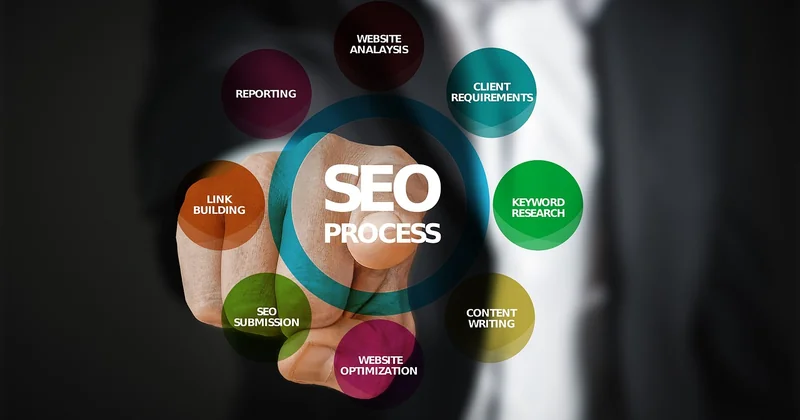
Step 1: list the questions your sales team hears
Before you touch a keyword tool, write down the last twenty questions real prospects asked. Not the polished ones from your marketing deck — the messy ones from calls. Those questions are journey-stage gold, and they're the fastest shortcut to the terms that actually matter. What kinds of information does your sales team need included in each persona, by the way? Ask them directly. They'll tell you in ten minutes what a keyword tool won't tell you at all.
Step 2: build or refresh your buyer personas
A buyer persona is a documented profile of the person you're trying to reach — their role, goals, objections, decision criteria, and the language they use. Without it, you're mapping keywords to an abstraction. With it, you can hear whether a phrase sounds like something your actual buyer would type.
Two or three personas is plenty. More than that and nobody on the team remembers them.
Step 3: cluster keywords by intent, not volume
Group terms by what the searcher is trying to accomplish. A cluster is a group of keywords that deserve one page. If two keywords would be answered by the same content, they belong together.
Volume is a tiebreaker, not a starting point.
Step 4: assign each cluster to a stage
Run each cluster through the intent test above. When in doubt, search the actual term and look at what ranks. If page one is all listicles and comparison tables, it's consideration. If it's all definitions and Wikipedia, it's awareness. If it's pricing pages and product pages, it's decision.
Step 5: audit your existing content against the map
This step hurts. You'll find pages targeting the wrong stage, orphan pages that map to nothing, and gaps where you have no content at all. I once audited a 90-page blog and found that 78 of them targeted awareness terms, 9 were consideration, and 3 were decision. Guess where the pipeline was coming from. The three.
Step 6: fill the gaps in priority order
Consideration and decision gaps first. Awareness gaps last, unless the awareness term is unusually easy to rank for.
Step 7: instrument and measure
Track conversion rate by stage, not just by page. Awareness traffic converting at 0.4% and decision traffic at 6% tells you where to invest. That five-stage, seven-step structure is also how professional journey mapping frameworks are built — the same logic applies whether you're mapping a customer experience or a keyword list.
A practical look at stage-by-stage keyword choice
Abstract advice is useless without examples. Here's how the same product category maps across stages:
| Stage | Example keyword | Content type | Typical conversion |
|---|---|---|---|
| Awareness | what is a CRM | Definition guide | Low (under 1%) |
| Consideration | best CRM for small business | Comparison / roundup | Moderate |
| Decision | hubspot pricing | Pricing / trial page | High |
| Loyalty | how to set up crm pipelines | Tutorial / help doc | Retention impact |
| Advocacy | hubspot review | Case study / community | Referral driver |
Notice that the volume column isn't there. That's deliberate. You can (and should) pull volume separately, but it should never override stage fit.
A mistake worth avoiding
One client insisted on chasing a 40,000-volume awareness term in a category where they had no product differentiation. Eight months of content investment, a dominant ranking, and almost zero pipeline. The page got traffic. The page didn't get customers. That story gets repeated across the industry — a company wins millions of clicks and still can't point to a single sale attributable to the content. Don't be that team.
The part nobody writes about: post-purchase keywords
Fidélisation and advocacy keywords are almost never in a mapping spreadsheet. They should be.
Think about it: your existing customers are a captive audience with a search box. They're typing "how do I export my data from X", "X integration with [tool]", "X template for [job]". If you own those results, you own the support experience, the retention story, and a chunk of your referral engine.
I've seen a single well-built post-purchase help hub reduce support ticket volume noticeably within a quarter — not because the docs got better magic, but because customers stopped opening tickets in the first place. That's SEO doing operational work.
Why fast-loading pages still matter for mapped keywords
Mapping is only half the job. Fast-loading pages consistently rank better and convert better — a slow page bleeds visitors before they read a word. If your decision-stage pricing page takes four seconds to load on mobile, the keyword map is academic. Speed is one of those boring fundamentals that quietly decides whether the whole strategy works.
AI search and the future of stage-based keyword mapping
Here's what's changing. AI assistants like ChatGPT and Perplexity are now answering a growing share of awareness-stage questions directly. The "what is X" traffic that used to feed your top of funnel is migrating into chat windows.
What that means for your map:
- Awareness content needs to be engineered to be cited by AI systems, not just ranked. Structured answers, clear definitions, original data.
- Consideration and decision content becomes more valuable, because it's harder for an AI to replace — the searcher still needs to evaluate your specific product against alternatives.
- Post-purchase content stays resilient, because it's tied to your product's inner workings.
If your entire content strategy is awareness, this shift is going to hurt. If you've been mapping properly across all five stages, you're already positioned.
Integrating SEO goals with content priorities
The one way to make sure SEO goals and content priorities are fully integrated is to make the keyword-to-stage map the shared document. Not the SEO team's spreadsheet, not the content team's editorial calendar — one map, one owner, one view.
When marketing, sales, and product all look at the same stage-by-stage view, priorities stop being political. The gaps are visible. The gaps get filled.
What to do next
Pull your current keyword list. Label every cluster with a stage. Count how many sit in each bucket. My guess is you'll see an awareness-heavy list, a thin consideration layer, and a decision bucket that's almost empty.
The fix isn't to write more. It's to write differently — fewer awareness posts, better-built consideration pages, and a decision-stage layer that actually converts. And then, once the sale is done, the map keeps going. The keywords your paying customers type are the ones nobody in your competitive set is chasing yet.
That's the quiet advantage. It won't show up in a volume report, but it will show up in retention numbers about six months from now.